
Apple Silicon Mac
macOS 26 or newer. Choose when About This Mac shows an Apple Chip.
Download · 270 MB
VODForge-macOS-arm64-v0.2.5.zip
Mac & Windows
Save video and audio.
Keep it organized.
Watch it your way.
For Windows 10 and 11, 64-bit.
Choose your Mac download
Apple Silicon: macOS 26 or newer.
Intel: macOS 15 or newer.
Open Apple menu → About This Mac. “Chip” with an Apple M-series name means Apple Silicon. “Processor” with Intel means Intel.
VODForge runs on Mac and Windows. One email, no newsletter signup.
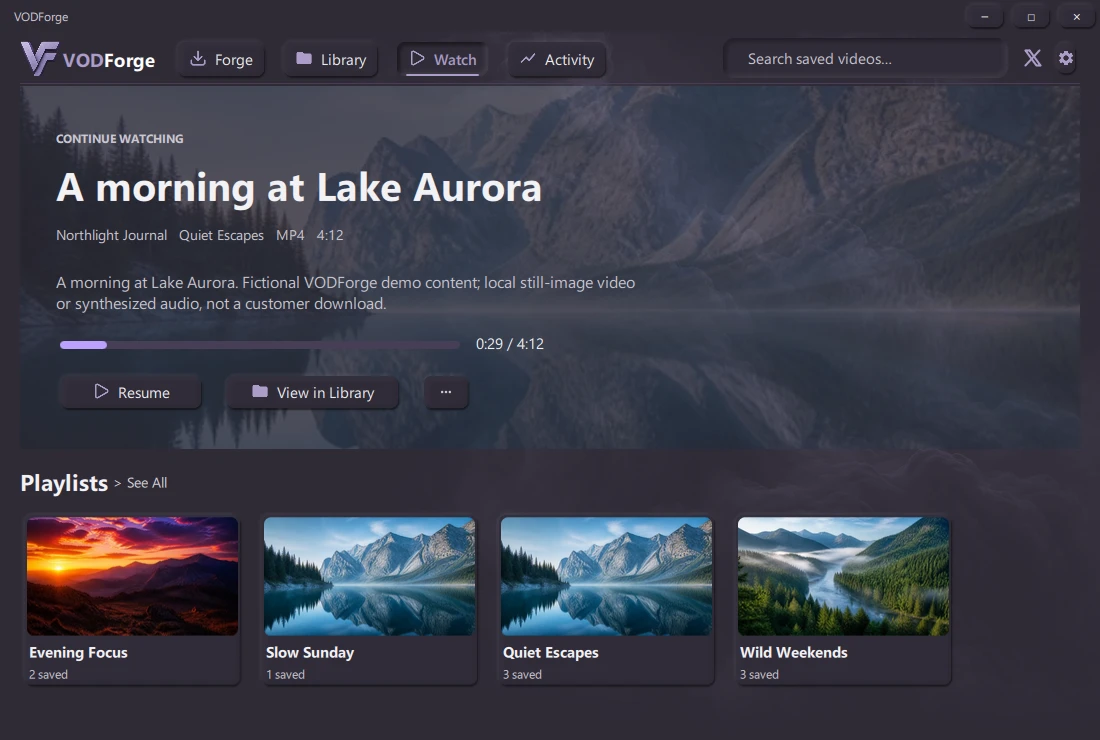
One workspace to save it. Another to find it. A place to sit back and watch.
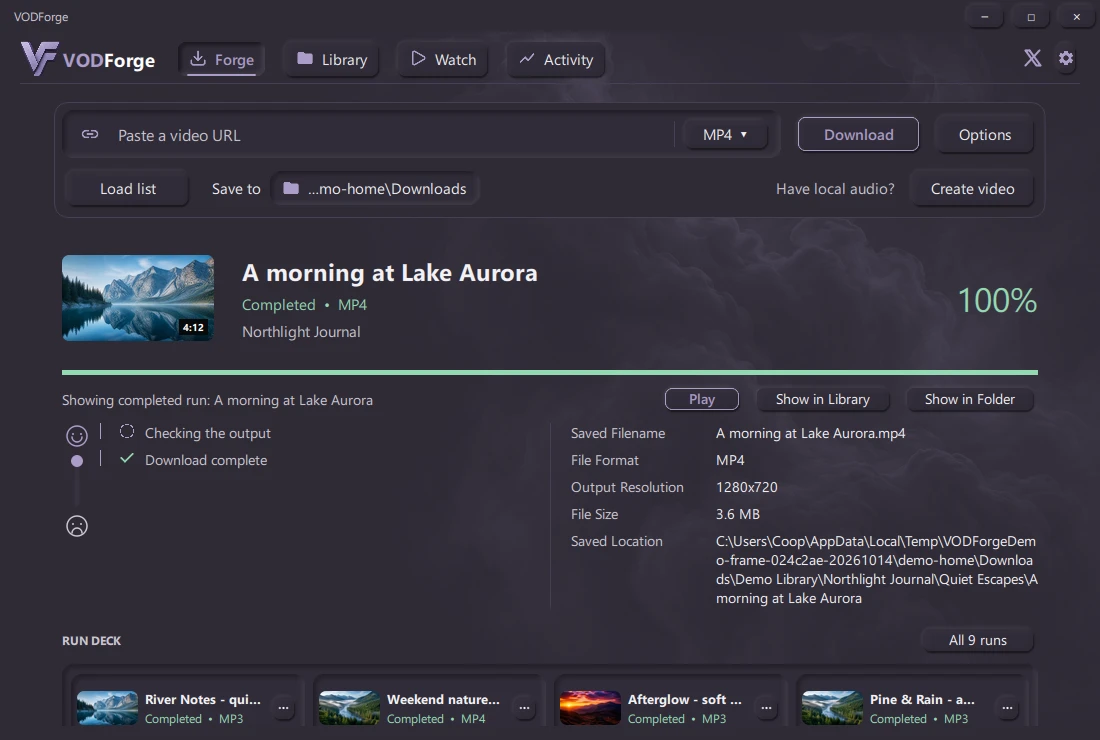
Choose video or audio, set your output, and follow each step. The Run Deck keeps completed and interrupted runs within reach.
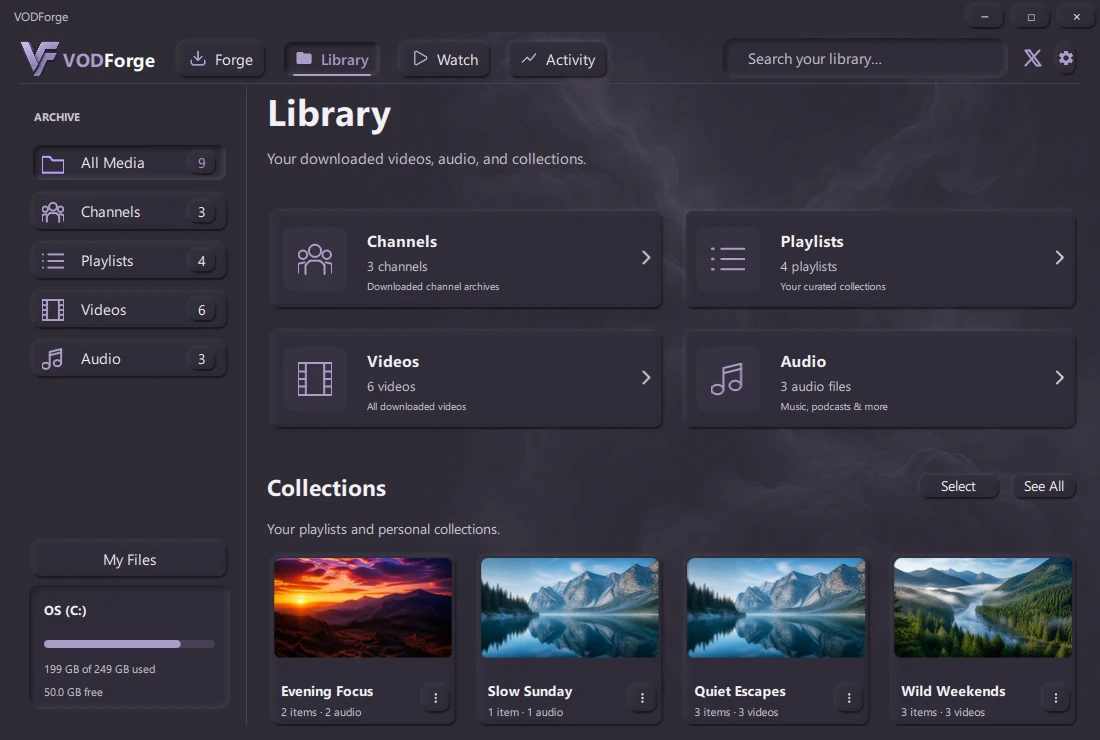
Browse your saved media by playlist or channel. Keep source descriptions, tags, notes, and output details together.
Pick up where you left off, explore your saved playlists, and play local videos inside VODForge.
Browse folders, inspect media and metadata, and open the exact location on your computer.
See the app screenshots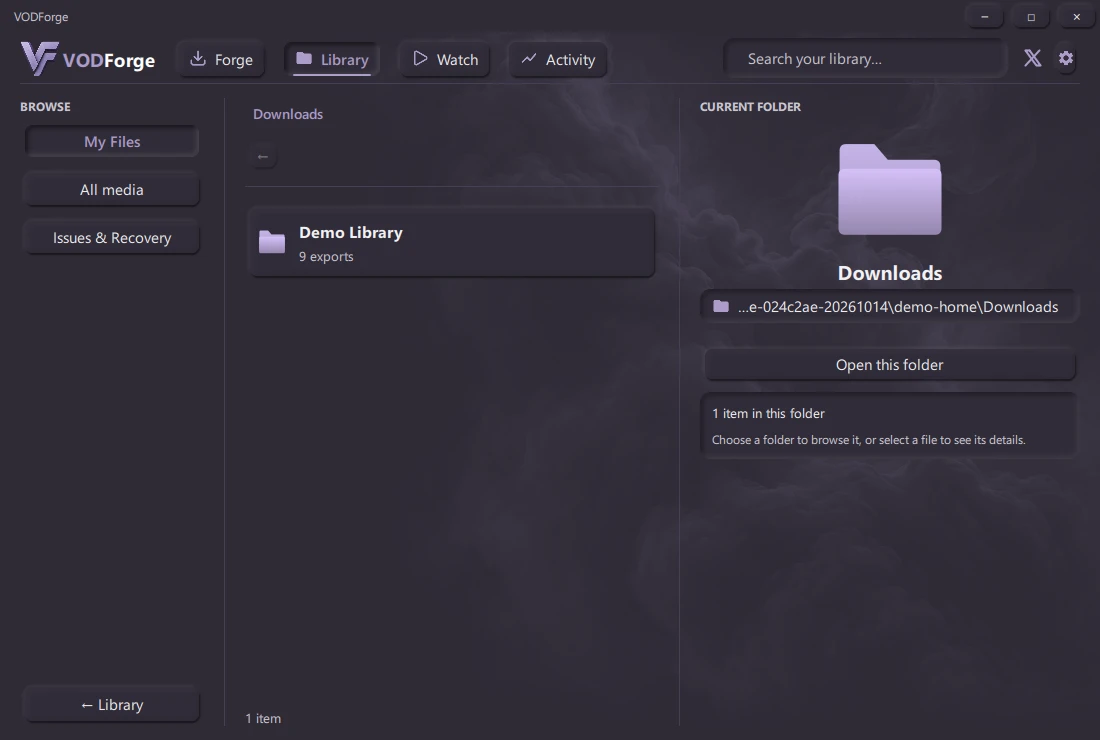
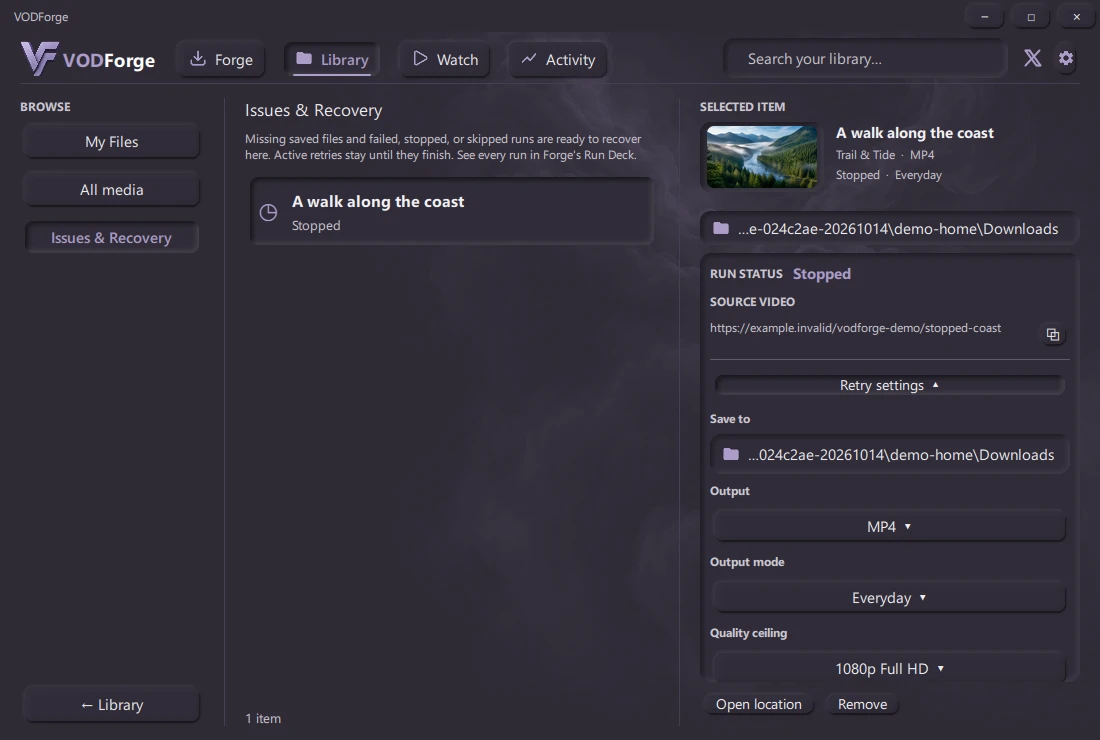
Find moved files or retry an interrupted download with its saved settings. Follow progress in Issues & Recovery until it succeeds.
Recovery screenshots use a fictional stopped run. No personal library data is included.
Windows app previews with fictional local media.
We’ll email you one link. Choose your Mac or Windows build when you open it on desktop.
One email. No newsletter signup.
Practical guides
VODForge is deliberately focused on YouTube videos and playlists today. It uses yt-dlp and FFmpeg underneath, but it does not expose yt-dlp's full multi-site catalog.
Not currently. Apple Silicon requires macOS 26 or newer; Intel requires macOS 15 or newer. These public minimums remain in place pending further runtime compatibility testing; they are not a full tested-device compatibility matrix. Windows builds support 64-bit Windows 10 and Windows 11.
Yes. The desktop app is free and released under the MIT License. Its source code is available on GitHub. VODForge Pro is a separate planned paid service; joining its interest list is free.
Public macOS builds are Developer ID signed, notarized, and stapled. Windows installers are Authenticode signed by Kryden Ventures, LLC. SHA-256 checksums are published for every release asset.
No. Downloading and managing files in VODForge requires no account. The optional analytics choice controls installation, update, attribution, and usage measurement. Opt-in and unknown regions require consent. When sharing is enabled, the app uses random identifiers and coarse app-open, download-run, conversion, and playback events. These events exclude media URLs, titles, filenames, file paths, and file contents. You can turn future usage sharing off in Settings.
Find logos, app screenshots, and a short product overview in the press kit.